

How I Track My Garden Year by Year (Without Guessing Every Spring)
Garden design
May 6, 2026
Most years, my gardening started the same way - standing in the yard, trying to remember what I planted and where. I had photos. I had notes. But none of it helped in the moment. Everything was scattered - and every spring felt like starting over.
Most years, my gardening started the same way - standing in the yard, trying to remember what I planted and where.
I had photos. I had notes.
But none of it helped in the moment. Everything was scattered - and every spring felt like starting over.
I was trying to remember:
What did I plant here? Was this spot full sun or part shade? Did that plant actually do well, or did I just forget that it struggled?
I had photos. Hundreds of them. I had notes scattered across three different apps. I did what the YouTube videos recommend - a full-day sun map, which in my case meant thousands of pictures taken every hour across my entire property to track where and when the sun moves. Full sun or part shade? I have more than ten folders of hourly photos for a single garden spot.
I have a full box of plant tags that I keep telling myself I'm going to sort. I have dozens of photos in my camera roll of those same plant tags - snapped at the nursery so I wouldn't forget the name.
But none of it actually helped in the moment. It all felt messy. Physical maps and tags - you get lazy about finding them, or you can't find a good place to store them. And digital notes end up buried in a folder you never open again.
Everything was scattered. And every spring felt like starting over.
You've probably felt this too
If you've been gardening for more than one season, some of this will sound familiar:
Bulbs come up in March and you don't remember what they are - or whether you planted them or they were already there. Perennials shift, spread, or quietly disappear, and you don't notice until the gap is obvious. You try the same layout you tried two years ago without realizing it, because you forgot it didn't work the first time. Your "plan" lives in your head, and it evaporates by the time the next planting season arrives.
I don't know how many times I've accidentally dug up plants I wasn't supposed to move - because I forgot what was dormant underground.
Photos alone don't solve it. Notes are hard to keep consistent. The missing piece isn't more information.
It's seeing everything in one place, visually.
I didn’t realize it at the time, but what I needed was something closer to a visual map - a way to look at my garden and instantly understand what’s planted where.
I needed something different
At some point I realized I didn't need a better notebook. I didn't need a scrapbook system with envelopes and pressed leaf samples. I didn't need another app that treats my garden as a to-do list of watering reminders.
I needed a way to map my garden the way it actually exists - and have access to that map anytime, on my phone, standing in the yard.
Not as a sketch. Not as a list. But as a real photo of my actual garden - with everything marked directly on it.
A simple system that actually worked
The first time I opened it in spring and instantly knew what was planted in each spot - that was the moment it clicked.
The concept was simple:
- Take a photo of a garden bed.
- Place a marker where each plant is.
- Add the plant name, planting date, and any notes.
That alone changed how I garden.
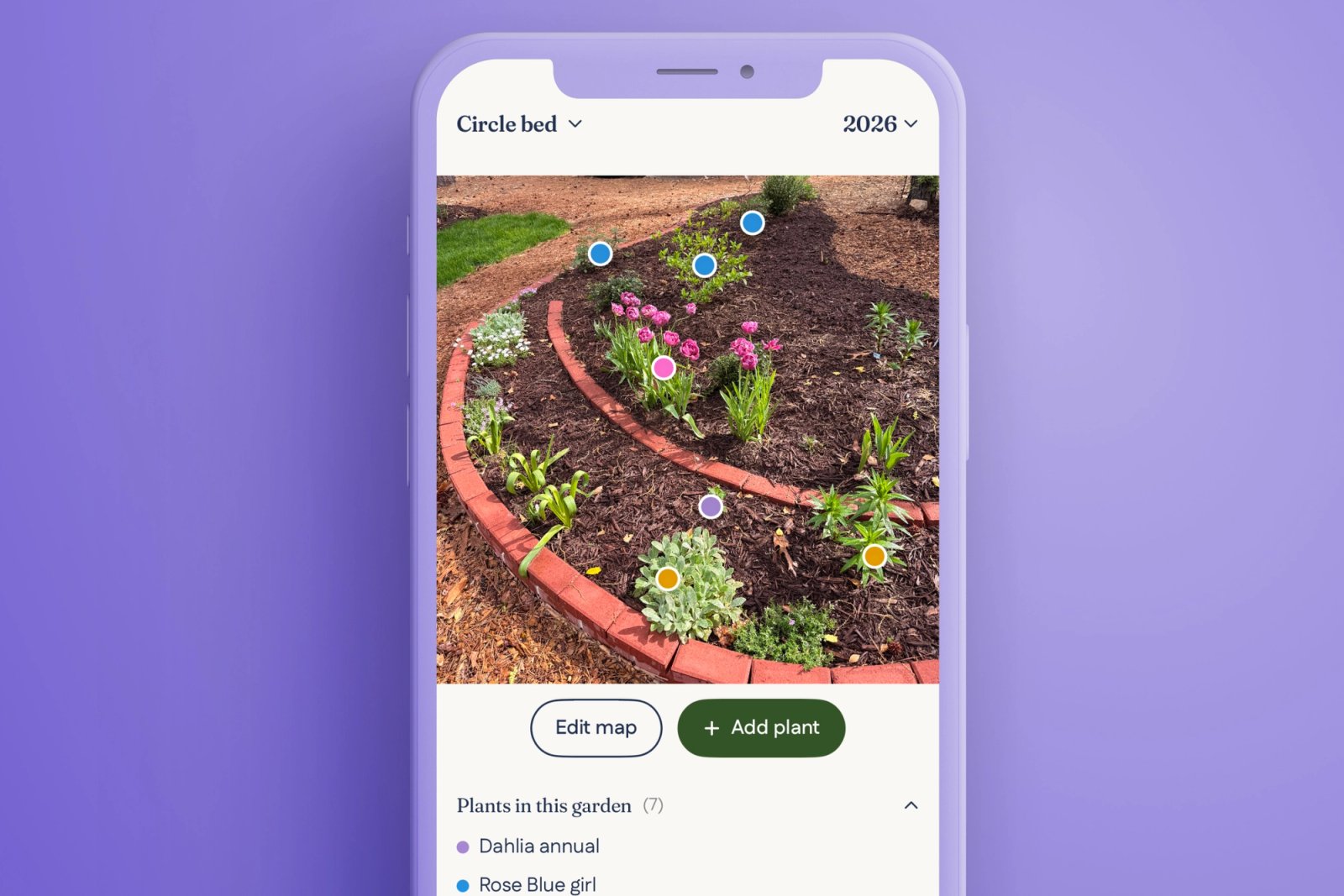
Instead of guessing, I could open my phone any moment and see exactly what grows where. I could remember what worked and what didn't. I could plan changes to a bed without starting from zero - because I could see what was already there.
It’s not a garden journal. It’s a visual memory of your garden.
What changed everything: seeing it over time
The biggest change came when I started comparing one year to the next.
Gardens change more than we think. Plants fill in. Some disappear. Some surprise you by showing up in a completely different spot than where you planted them. But without a record, you don't actually see those changes - you just have a vague sense that "something is different."
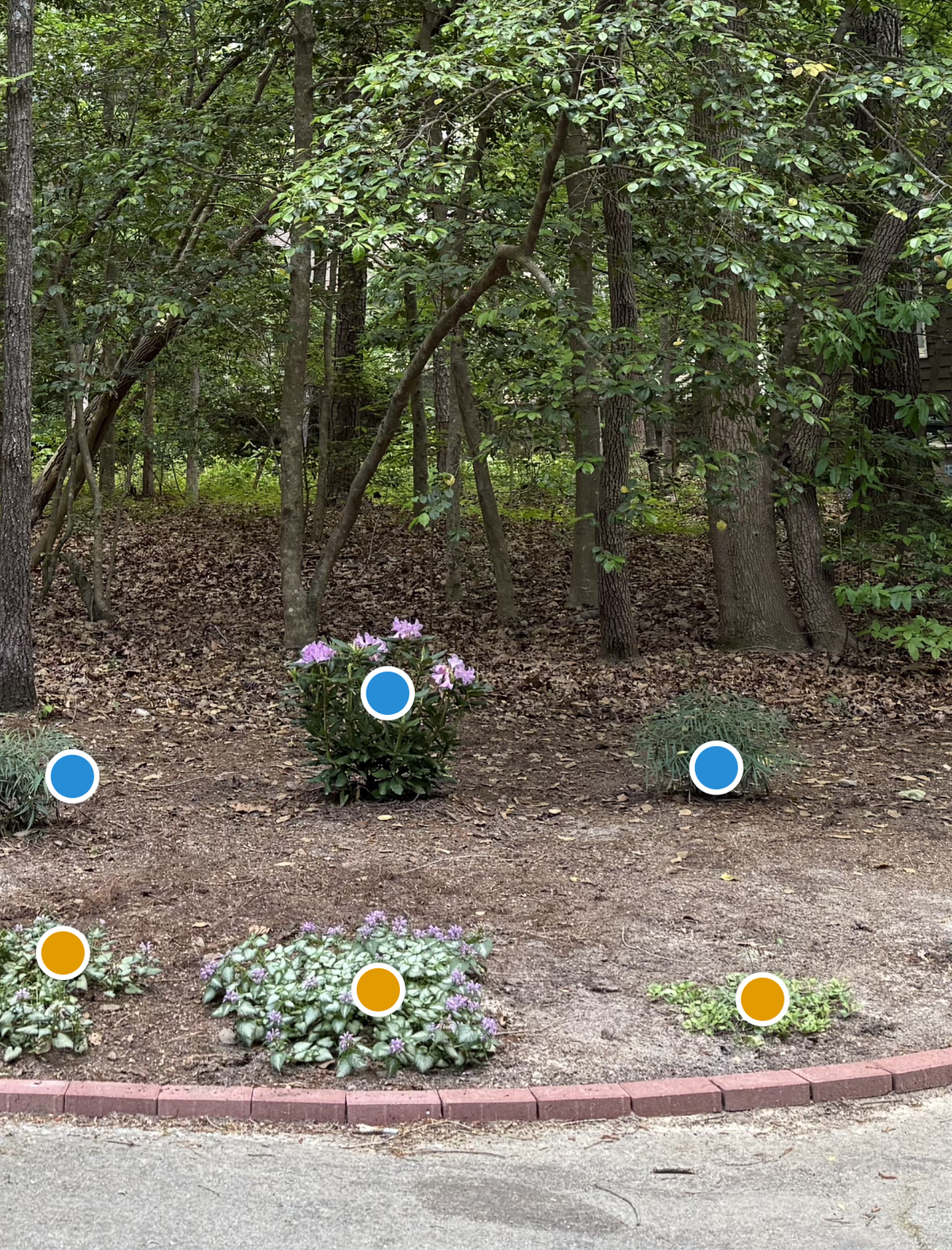
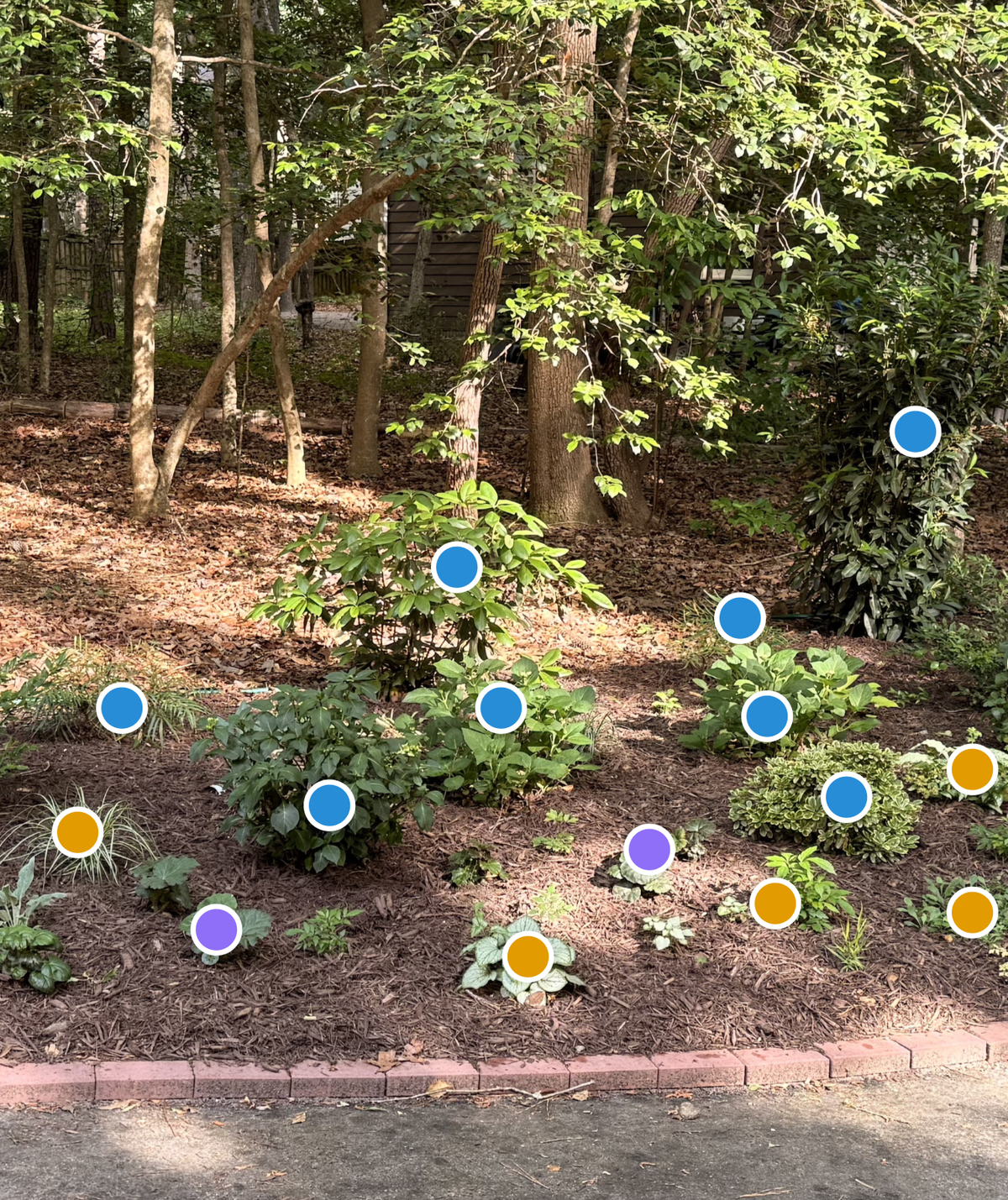
Now I can go back and answer questions I never could before:
- What did this bed look like last spring?
- Which plants actually thrived versus which ones I just kept replacing?
- What should I repeat, and what should I change?
- Where was that peony that hasn't come up yet - did I move it, or is it just late?
Three years of garden history in one place. That's the thing I didn't know I needed until I had it.
So I built a tool for it
After doing this process manually for a while - screenshots, markup apps, folders - I realized I needed something cleaner and easier. Something designed specifically for how gardeners actually think about their spaces.
So I built BloomMap.
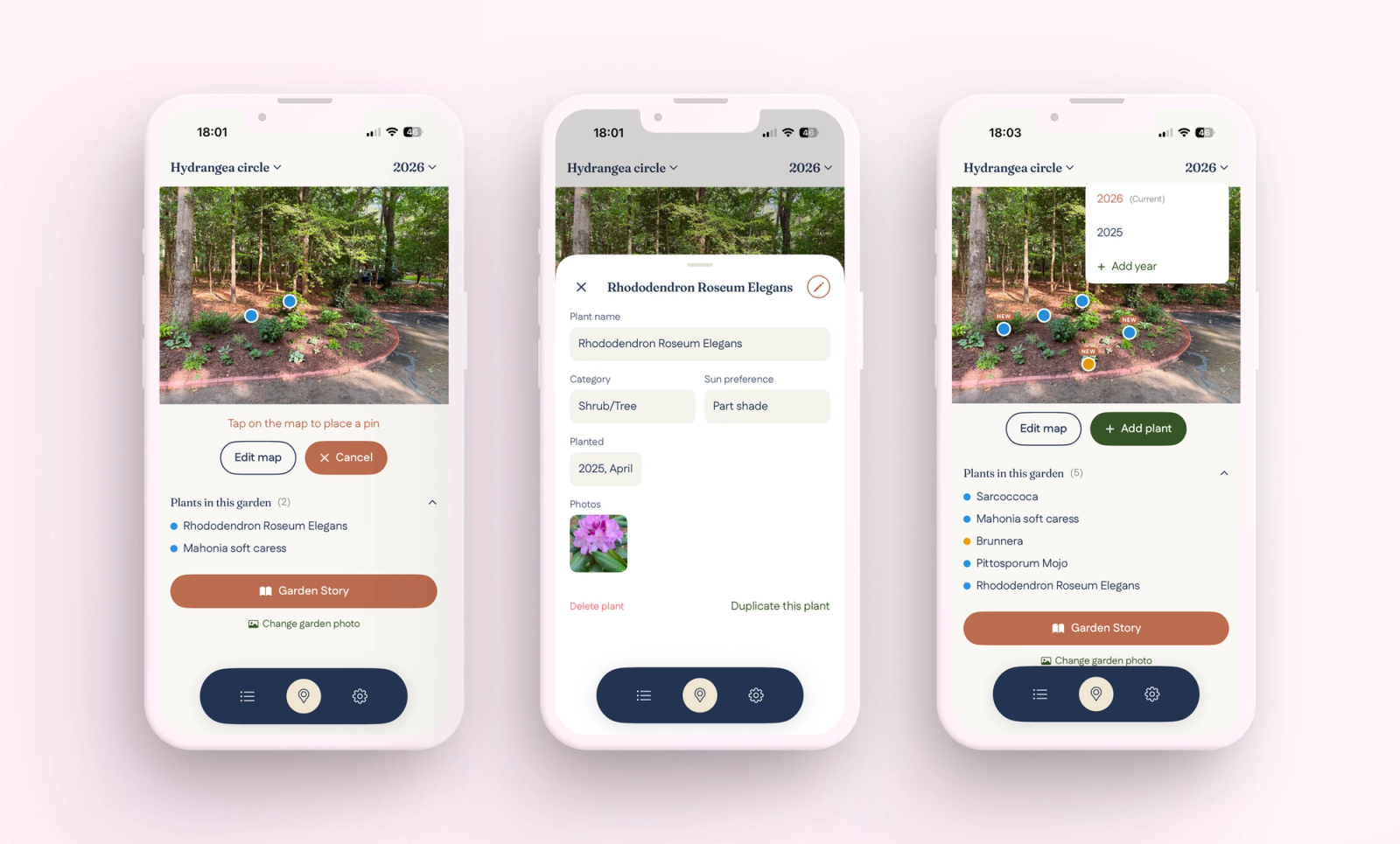
The idea is simple: your photo is your map. You upload a picture of your garden bed, tap to place color-coded pins where plants are, and attach the name, category, date, and notes to each pin. Blue pins for shrubs and trees. Yellow for perennials. Pink for bulbs. Purple for everything else.
You can have multiple gardens, switch between years to see how things evolved, and keep everything in one app on your phone - accessible anytime, standing right in the garden where you need it.
Who this works best for
This approach to garden tracking works especially well if you:
Have multiple garden beds and can't keep them all straight in your head.
Grow perennials or bulbs that go dormant and reappear (or don't).
Like to experiment with different layouts and plant combinations each year.
Have ever stood in your garden in March trying to remember what's supposed to come up where.
Or if you're just tired of the spring guessing game.
Try it with one garden
You can download BloomMap and start with one garden for free. No account needed. Just open the app, take a photo, and place your first pins.
But start with one garden. See if it changes how you think about your space. It did for me.
If you want more advanced features like multiple gardens and year-by-year tracking, those are available later.
You can start with one garden for free. No account needed - just take a photo and begin.
Gardening gets easier when you stop relying on memory - and start seeing your garden clearly.
Your future self - standing in the yard next March, knowing exactly what's planted where - will thank you.
.
.
.
.
. with love, Anna
Tags
Related ideas
More to explore

Garden design
How to Design a Garden Bed Like a Designer: The 5 Principles That Make It Look Intentional
The difference between a garden that looks designed and one that looks like a plant sale isn't the plants - it's five principles. Layering, structure, color, repetition, and bloom sequence, explained.
July 21, 2026

Foundation Planting Guide - How to Prepare, Design, and Plant the Beds Around Your House
Here's how to do it right, starting with the ground work that most guides skip entirely.
April 28, 2026

Garden design
Native Plants for a Pollinator Garden in the Southeast - What to Grow, Who It Feeds
Here are the plants that earn their place - organized by what they feed and when they bloom.
April 27, 2026